Key Takeaways:
- Enterprise AI assistants go beyond chatbots, they understand intent, automate multi-step workflows, and integrate with CRMs, ERPs, and HRMs.
- A production-grade assistant requires five architectural layers: interaction, NLP brain, orchestration engine, integration, and security.
- RAG and generative AI are now the standard for accurate, grounded enterprise responses.
- Development costs range from $15,000 for a basic app to $150,000+ for a full AI-powered platform - plan your budget based on feature priority and phased delivery.Security, role-based access, and compliance (SOC 2, GDPR, HIPAA) must be designed from day one not added later.
- Start with one high-value use case, prove ROI, then expand with continuous training and feedback loops.
The way enterprises communicate internally and with customers has changed permanently. Businesses no longer have the luxury of slow support queues, siloed workflows, or knowledge locked inside spreadsheets. They need intelligence that is always on, contextually aware, and deeply connected to the systems running their operations.
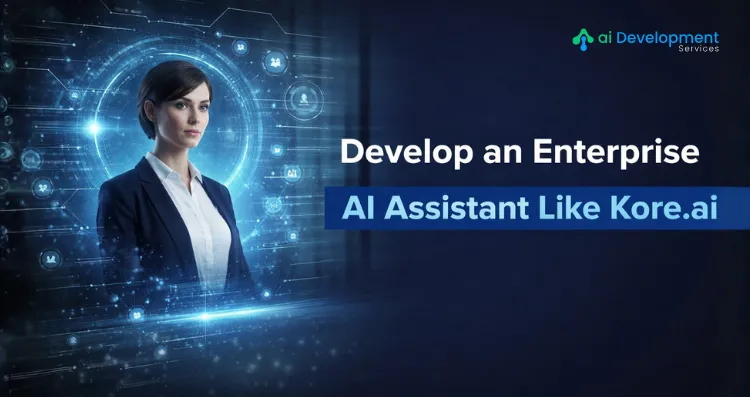
That is exactly the problem enterprise AI assistants were built to solve. Platforms like Kore.ai have proven that a well-architected AI assistant can go far beyond answering FAQs; it can orchestrate complex workflows, retrieve live data from enterprise systems, and act as a virtual workforce layer that scales without adding headcount.
According to Grand View Research, the global AI assistant market is valued at USD 16.29 billion in 2024 and is projected to reach USD 73.80 billion by 2033, growing at a CAGR of 18.8%.
If you are a business leader or product team thinking about building a custom enterprise AI assistant tailored to your industry, data, and workflows, this guide walks you through every critical step.
What Separates an Enterprise AI Assistant from a Chatbot?
A traditional chatbot follows a fixed script. It maps keywords to pre-written answers and escalates anything outside its decision tree; it is linear, brittle, and limited.
An enterprise AI assistant operates at a completely different level. It understands context across multi-turn conversations, connects to live business systems in real time, and learns continuously from user interactions. Where a chatbot talks, an enterprise AI assistant acts by creating tickets, retrieving account records, triggering workflows, and escalating intelligently when needed.
Kore.ai's XO Platform exemplifies this. It supports 100+ enterprise connectors, multi-channel deployment (voice + digital), and agentic task execution all from a single development environment. Building something comparable requires understanding not just the features, but the underlying architecture that makes them possible.
The Five-Layer Architecture You Need to Build Enterprise AI Assistant
1. Interaction Layer
This is everything the user touches: web chat widgets, mobile SDKs, voice interfaces, and integrations with platforms like Microsoft Teams or Slack. It must be channel-agnostic: the same conversation logic should work whether a user is typing on a laptop or speaking over a phone.
2. NLP and AI Brain
This layer processes user input to identify intent, extract entities (dates, order numbers, names), and maintain dialogue context across turns. Modern enterprise assistants combine a foundation LLM for language fluency with fine-tuned domain models for factual accuracy. Retrieval-Augmented Generation (RAG) is now considered essential. It grounds the assistant's responses in your real internal data before generating an answer, dramatically reducing hallucinations.
3. Orchestration Engine
This is what separates an assistant that talks from one that acts. When a user says "process a refund for order #4521," the orchestration engine verifies the order, checks refund eligibility, creates the ticket, and confirms completion all within one conversation turn. Without this layer, your assistant is a sophisticated FAQ bot, not a productivity tool.
4. Integration Layer
Enterprise data is fragmented across CRMs, ERPs, ticketing systems, HR platforms, and billing software. The integration layer connects to all of them via APIs, webhooks, and pre-built connectors. Build integrations as modular services, not hard-coded connections, so they remain maintainable as your systems evolve.
5. Security and Governance Framework
This layer covers end-to-end encryption, role-based access control, audit logging, PII detection and masking, and compliance certifications (SOC 2, GDPR, HIPAA, ISO 27001). In regulated industries, you also need explainability, the ability to show why the assistant gave a specific response or took a specific action. Design this in from the start; retrofitting it is expensive.
Step-by-Step Development Process for Enterprise AI Assistant Like Kore.ai
Step 1: Define Use Cases and Metrics First
Start narrowly. Identify one or two high-volume, repetitive processes that currently require a human following a predictable script: IT helpdesk triage, HR policy Q&A, order status inquiries. Define success metrics before you write a line of code: resolution rate, average handling time, escalation percentage, CSAT score. Quantified goals shape every architecture and prioritization decision that follows.
Step 2: Choose Your Development Approach
The approach you choose for enterprise AI application development shapes your timeline, budget, and long-term flexibility more than any other single decision. You have three realistic options. Building from scratch gives maximum control but demands significant AI engineering capability and timeline. Low-code platforms like Kore.ai's XO Platform dramatically accelerate development through pre-built NLP models, visual conversation designers, and ready-made enterprise connectors at the cost of some customization flexibility. A hybrid approach platform for conversation design and orchestration, custom-built for proprietary integrations and domain-specific AI models, is often the most pragmatic path for mid-to-large enterprises.
For teams without deep in-house AI expertise, partnering with a specialized AI development company can compress time-to-deployment while maintaining full control over the final product architecture.
Step 3: Design Your Conversation Flows
Map primary flows first: the ideal path from a user's opening message to a resolved outcome. Then design fallbacks for misunderstood inputs, ambiguous requests, and human escalation triggers. For each intent your assistant handles, define training phrases (how users might phrase that request), required entities (the data needed to complete the action), and expected outputs. Use slot-filling patterns to gather missing information progressively rather than failing when a user's first message is incomplete.
Step 4: Select and Fine-Tune Your AI Models
Start with a capable foundation model, GPT-4 class or equivalent, for language understanding and generation. Fine-tune your domain-specific data: past support tickets, product documentation, policy manuals, and FAQ repositories. Build RAG architecture on top using a vector database (Pinecone, Weaviate, or Chroma) to enable semantic retrieval from your internal knowledge base before each response is generated.
This is where generative AI development and enterprise requirements converge. Generative models produce fluent, contextually rich responses, but production enterprise deployments need guardrails: content filters, factual grounding through RAG, and response validation rules that prevent the model from generating confident but incorrect answers.
Additionally, adaptive AI development techniques allow your assistant to adjust behavior based on user role, interaction history, and feedback patterns, so a frontline support agent and a senior analyst using the same assistant get appropriately different experiences without building two separate systems.
Step 5: Build Integrations as a Priority, Not an Afterthought
The single most common reason enterprise AI projects are under delivered is that integrations are scoped too late. A beautifully designed assistant that cannot access live data cannot complete real tasks. Map every integration your use cases require, prioritize by impact, and build each one as a reusable service with documented inputs, outputs, authentication, and error handling. Understanding how ML-powered applications manage data pipelines in production as covered in this machine learning app development guide gives valuable context for designing a resilient, scalable integration architecture.
Step 6: Test for Accuracy, Safety, and Performance
Enterprise AI testing goes well beyond functional QA. Test NLP accuracy against a diverse dataset that includes typos, abbreviations, multi-part questions, and edge cases. Test safety by actively trying to produce harmful, inaccurate, or policy-violating responses, document every failure and resolve it before launch. Load test your entire stack, including all third-party integrations, under realistic production volumes. A 300ms average response time in development often degrades to 2+ seconds in production if integration latency is not profiled early.
Step 7: Deploy, Monitor, and Improve Continuously
Deployment opens the real feedback loop. Track intent recognition accuracy, task completion rate, escalation rate, and user satisfaction scores in production. Set alert thresholds that trigger review when performance drops. Build a continuous training pipeline that feeds new conversation data, user corrections, and expert annotations back into regular model updates. The difference between an assistant that stays useful over two years and one that becomes stale within six months is almost entirely determined by the quality of this ongoing improvement process.
High-Value Industry Use Cases
IT Service Management: Password resets, software access requests, and ticket triage. Well-implemented assistants resolve 40–60% of tickets without human involvement.
Human Resources: Leave policy questions, benefits enrollment, payroll inquiries, and onboarding guidance. The highest volume of repetitive enterprise queries by category.
Financial Services: Account queries, loan application guidance, transaction dispute triage, and internal compliance research. Real-time core banking integration is the critical requirement.
Healthcare: Patient intake, appointment scheduling, benefits verification, and clinical staff support. HIPAA compliance and EHR integration are non-negotiable prerequisites.
Common Pitfalls to Avoid
Starting too broadly: Trying to automate 15 use cases simultaneously produces a system that does none of them well. Pick one, do it properly, prove value, then expand.
Underestimating data quality: Historical support logs are often poorly labeled and incomplete. Investing in data cleaning before training the model cannot compensate for bad input data.
Treating security as a final phase: Access control, encryption, and audit logging must be designed into the architecture, not bolted on after the build.
Ignoring the escalation experience: When your assistant cannot resolve something, how it hands off to a human agent determines whether users trust it or abandon it. Design the escalation path as carefully as the resolution path.
Final Thoughts
Building an enterprise AI assistant like Kore.ai is not a single engineering project, it is a product investment with a long operational lifecycle. The businesses seeing the strongest returns are those that treat it as such: starting with focused use cases, building on solid architecture, shipping iteratively, and committing to continuous improvement.
The technology to do this well exists today. What determine outcomes are the quality of your planning, the discipline of your development process, and the expertise of the team you build it with.
If you are ready to move from evaluation to execution, the team at AI Development Service specializes in building production-grade AI assistants tailored to enterprise requirements, from architecture design through deployment and ongoing optimization.
Frequently Asked Questions
Q1. What is the difference between an enterprise AI assistant and a regular chatbot?
Ans. A regular chatbot follows predefined rules and scripts. An enterprise AI assistant understands natural language, maintains conversation context, integrates with live business systems, and executes multi-step workflows autonomously, making it a genuine productivity tool rather than a scripted response engine.
Q2. How long does it take to build an enterprise AI assistant?
Ans. A focused MVP covering one or two use cases typically takes 3–5 months from scoping to production deployment. Full-scale platforms with multiple integrations, channels, and departments take 9–18 months. Timeline is heavily influenced by the complexity of your integration ecosystem and data readiness.
Q3. What technologies are core to building a Kore.ai-like assistant?
Ans. The essential stack includes an LLM foundation model, a fine-tuned NLP layer, RAG architecture with a vector database, an orchestration/agentic framework, REST API integrations, and a security/compliance layer. Adaptive AI development techniques are increasingly used to personalize assistant behavior across different user roles and departments.
Q4. Where can I get professional help to build an enterprise AI assistant?
Ans. AI Development Service offers end-to-end enterprise AI assistant development, from use-case scoping and architecture design to model training, integration, and deployment. Their team has experience across industries, including healthcare, finance, retail, and IT services.
Q5. How much does it cost to develop an enterprise AI assistant?
Ans. Costs vary based on complexity, integrations, and development approach. A well-scoped MVP on a low-code platform typically ranges from $30,000–$80,000. Custom-built enterprise platforms with deep integrations can range from $150,000 to $500,000+. Partnering with a specialized firm like AI Development Service helps right-size the scope and budget for your specific requirements.