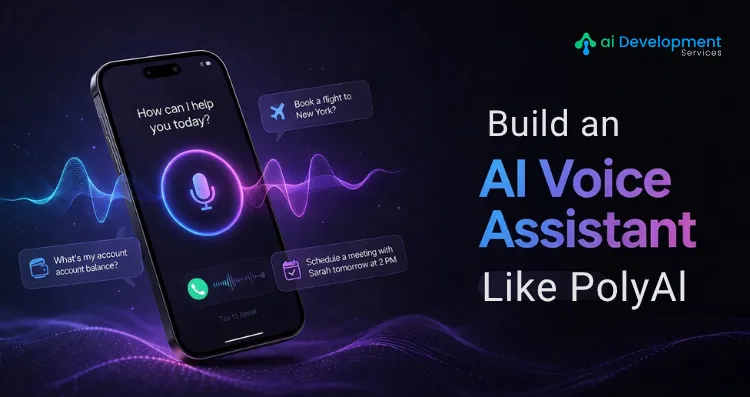
Phone calls are still the preferred channel for customers dealing with complex, high-stakes issues, yet most enterprise phone experiences remain broken. Long hold times, rigid IVR menus, and agents reading from scripts have created a gap between what customers expect and what businesses deliver.
PolyAI closed that gap. Founded in 2017 by researchers from the University of Cambridge, PolyAI built voice AI assistants that handle natural, free-flowing phone conversations, understanding accents, interruptions, topic switches, and ambiguous phrasing at an enterprise scale. Their assistants resolve over 50% of customer calls without any human involvement, and their clients include leading brands in banking, hospitality, insurance, and retail.
The question for businesses today is not whether voice AI is worth investing in. The question is how to build it properly.
According to Astute Analytica, the global voice assistant market is valued at USD 7.08 billion in 2024 and is projected to reach USD 59.9 billion by 2033, growing at a CAGR of 26.80%.
This guide covers exactly the architecture, technology stack, development process, and real-world considerations for building an AI voice assistant comparable to PolyAI.
What Makes PolyAI Different from Standard Voice Bots?
Most enterprise voice bots are glorified IVR systems with a friendlier voice. They follow rigid decision trees, fail when users deviate from the expected script, and frustrate callers into pressing zero to reach a human.
PolyAI works differently at a fundamental level. Their system is designed around customer-led conversation, meaning the caller drives the interaction, not a pre-scripted flow. Users can interrupt, change their mind mid-sentence, speak in regional accents, or ask off-topic questions, and the assistant recovers gracefully every time.
This is achieved through a tightly integrated stack of speech recognition fine-tuned for telephony environments, a natural language understanding layer trained specifically for customer service dialogue, and a dialogue management system that maintains full context across every turn of the conversation. None of these layers work in isolation; their quality comes from deep collaboration across all of them simultaneously.
When you build your own voice assistant, this integration philosophy is the most important thing to internalize. The components are available. What separates a production-grade system from a demo that never ships is how well those components work together.
Build Your Own AI Voice Assistant Today
The Core Architecture of an Enterprise AI Voice Assistant
1. Telephony and Voice Delivery Layer
Every voice call begins here. This layer handles the SIP (Session Initiation Protocol) or PSTN connection that routes calls into your AI system. It manages audio streaming in real time, controls call transfer logic when escalation to a human agent is needed, and passes contextual metadata such as the caller's account information or IVR history through SIP headers to assist agents during handoff.
Getting this layer right is critical for latency. Target end-to-end response times of under 500 milliseconds. Anything longer creates awkward silences that break the natural rhythm of conversation and signal to callers that they are talking to a bot.
2. Automatic Speech Recognition (ASR)
ASR converts spoken audio into text in real time. For enterprise voice assistants, general-purpose ASR engines, the kind built for smart speakers or mobile dictation, are rarely sufficient. Enterprise telephony environments introduce background noise, compressed audio, diverse accents, domain-specific vocabulary, and the particular speech patterns of people talking to an automated system.
PolyAI built their own speech recognition engine tuned specifically for these conditions, capable of switching between domain-specific vocabulary mid-conversation. For your build, you can start with cloud ASR providers (Google Speech-to-Text, Azure Cognitive Services, AWS Transcribe) and layer custom acoustic models and vocabulary boosts for your domain on top.
3. Natural Language Understanding (NLU)
NLU processes the transcribed text to extract intent (what the caller wants) and entities (specific data like account numbers, dates, locations, or product names). In voice contexts, this is significantly harder than in text-based assistants. Spoken language is less precise, less consistent, and far more ambiguous than written input.
Modern enterprise NLU combines transformer-based language models with domain-specific fine-tuning. You train the model on real customer call transcripts, past support interactions, call recordings, and any historical data that reflects how your actual customers actually speak about your products and services.
4. Dialogue Management
This is the brain of your voice assistant. The dialogue manager tracks conversation state at every turn, decides what the assistant should do next (ask a clarifying question, retrieve data, complete an action, or escalate), and maintains context so callers never have to repeat themselves.
For PolyAI-level performance, dialogue management must be built for interruptions and topic changes. If a caller says "actually, never mind, I want to check my balance instead" three turns into a password reset flow, the system must abandon the current task cleanly and pivot without confusion. Slot-filling patterns handle incomplete requests, and fallback strategies handle complete breakdowns gracefully.
5. Backend Integration Layer
The voice assistant becomes genuinely useful only when it can access and act on real business data. This layer connects via APIs to your CRM (Salesforce, HubSpot), ticketing system (Zendesk, ServiceNow), payment processor, booking platform, order management system, and any other backend that your use cases require.
Build integrations as modular, independently deployable services. A monolithic integration layer becomes brittle as your enterprise systems evolve; modular services remain maintainable and reusable across multiple voice use cases.
6. Text-to-Speech (TTS)
TTS converts the assistant's response back into spoken audio. For enterprise voice assistants, the quality bar here is high; a robotic or stilted voice immediately undermines caller trust, regardless of how accurate the underlying NLU is. Modern neural TTS engines (ElevenLabs, Google WaveNet, Azure Neural TTS, OpenAI TTS) produce naturalistic voices with controllable tone, pacing, and expressiveness. Choose a voice that reflects your brand personality and test it extensively with real callers before deploying.
Step-by-Step Development Process - AI Voice Assistant Like PolyAI
Step 1: Define Your Use Case and Success Metrics
Start with one high-volume, well-defined use case order status inquiries, appointment scheduling, account authentication, FAQ resolution. Avoid the temptation to automate everything at once.
Before any development begins, define what success looks like: containment rate (percentage of calls fully resolved without human transfer), average handling time, first-call resolution rate, and customer satisfaction score. These metrics will guide every architecture and design decision that follows.
Step 2: Choose Your Build Strategy
You have three realistic paths. Building entirely from scratch gives maximum control over every layer but demands dedicated speech AI engineering capability and an extended timeline. Starting with foundation models and cloud APIs accelerates the core NLU and ASR layers significantly, letting your team focus on dialogue design, integration, and tuning. A platform-assisted approach using a specialized voice AI framework for the infrastructure while building custom integrations and domain training on top is often the fastest path to production for most enterprises.
Whichever path you choose, the decision compounds over time. Teams that start without a clear strategy frequently find themselves with a proof of concept that performs well with testers but cannot handle the variance of real customer calls. Working with a specialized AI development company early in the process significantly reduces this risk experienced teams have already encountered and solved the edge cases that kill internal projects.
Step 3: Design Your Conversation Flows
Voice conversation design is a distinct discipline from text chatbot design. The absence of a visual interface means every interaction must work purely through audio; there are no buttons to click, no menus to browse, no text to re-read.
Map your primary conversation flows: the ideal path from the caller's opening statement to a resolved outcome. Then design every fallback, clarification prompt, and escalation trigger. Write your dialogue in the way real people speak contractions, shorter sentences, natural pauses. Avoid reading long lists of options. Limit each prompt to two or three choices at most.
Build barge-in support from the beginning. Callers should be able to interrupt the assistant at any point, just as they would interrupt a human agent. Systems that make callers wait for a prompt to finish before responding feel robotic and generate immediate frustration.
Step 4: Build and Train Your AI Models
Assemble your ASR, NLU, and TTS stackS. Fine-tune each component on domain-specific data, your call transcripts, support logs, product terminology, and the specific vocabulary your customers use. The quality of your training data is the single biggest determinant of how accurate your system will be in production.
This is where generative AI development practices now play a significant role in enterprise voice AI. Large language models power the dialogue management layer, enabling more flexible, contextually aware conversations that go beyond rigid intent classification. Instead of matching every utterance to a predefined intent category, an LLM-backed dialogue manager can reason about novel inputs and generate appropriate responses, dramatically improving performance on the long tail of unexpected caller queries.
For voice assistants deployed across multiple regions, accents, or customer segments, adaptive AI development techniques allow the system to personalize its behavior based on caller history, detected speech patterns, and interaction context, so a returning customer with a known account profile gets a meaningfully different experience than a first-time caller.
Step 5: Integrate with Enterprise Systems
Build and test every API integration before voice testing begins. The most common cause of voice assistant failure in enterprise environments is not NLU accuracy, it is backend integrations that time out, return unexpected data formats, or fail silently under load.
For each integration, define your data contract (inputs, outputs, error states), implement retry logic and graceful degradation (what the assistant says when the backend is unavailable), and load-test the integration under peak production volumes. Understanding how data flows between ML models and backend systems in production is a foundational skill. Here the machine learning app development guide covers this integration architecture in practical detail.
Step 6: Test Rigorously Across Real-World Conditions
Voice AI testing requires conditions that replicate real telephony environments, not clean studio audio. Test with background noise, low-bandwidth audio, diverse accents, and the full range of ways callers might express each intent, including incomplete sentences, mid-thought corrections, and off-topic questions.
Conduct adversarial testing: actively try to confuse, frustrate, or break the system. Every failure mode you find in testing is one less failure mode your customers experience at launch.
Step 7: Deploy, Monitor, and Continuously Improve
Production deployment opens the most valuable data source where you have real caller conversations. Implement monitoring for intent recognition accuracy, containment rate, escalation triggers, and call completion by use case. Review mishandled calls weekly in the early weeks of deployment and use them to drive targeted model updates.
Voice AI systems that are trained once and left static degrade over time as customer language, product offerings, and business processes evolve. Build a continuous improvement pipeline into your operational plan from day one.
Key Use Cases by Industries
Hospitality: Reservation management, check-in assistance, amenity inquiries, and loyalty program support. Voice AI handles peak booking periods without additional staffing.
Banking and Financial Services: Account balance inquiries, transaction dispute triage, card management, and fraud alert verification. The BFSI sector leads enterprise voice AI adoption with a 32.9% market share as of 2024.
Healthcare: Appointment scheduling, prescription refill requests, insurance verification, and post-discharge follow-up calls. HIPAA compliance and EHR integration are prerequisites.
Retail and E-commerce: Order status, return processing, delivery updates, and product availability. Voice AI handles high-volume, repetitive queries that would otherwise consume significant agent time.
Telecommunications: Account management, service outage updates, plan changes, and technical triage. Telecom environments often involve high call volumes and routine queries that are ideal for automation.
Common Mistakes to Avoid
Building for the ideal caller, not the real one: Test with the full diversity of how your actual customers speak regional accents, hesitant speech, incomplete sentences. Systems optimized for clean, clear audio fail in real telephony conditions.
Neglecting the escalation experience: The quality of your human handoff is as important as the quality of your automation. When the assistant transfers a call, the agent should receive the full context of what the caller said, what was attempted, and what information was already gathered.
Treating voice as a text channel: Voice UX principles are fundamentally different. Responses must be shorter, prompts must be simpler, and the system must handle audio-specific challenges like barge-in, silence detection, and background noise.
Launching too broadly, too fast: A voice assistant that performs adequately across twenty use cases is far less valuable than one that performs excellently across three. Containment rate in your highest-volume use cases is the metric that drives ROI.
Ready to Develop an AI Voice Assistant Like PolyAI?
Final Thoughts
Building an AI voice assistant that matches PolyAI's quality requires more than assembling the right components; it requires deep integration across every layer of the stack, rigorous testing under real-world conditions, and a commitment to continuous improvement long after launch.
The technology to do this is more accessible than it has ever been. What separates businesses that deploy production-grade voice AI from those stuck in perpetual proof-of-concept is the quality of their development process and the expertise of their team.
If you are ready to move from planning to building, the team at AI Development Service specializes in building enterprise-grade AI voice assistants from architecture and model training through integration, deployment, and ongoing optimization.
Frequently Asked Questions
Q1. What core technologies do you need to build a voice AI assistant like PolyAI?
Ans. The essential stack includes an ASR engine for speech-to-text, an NLU model for intent and entity extraction, a dialogue management system for conversation flow, a TTS engine for voice output, and a backend integration layer connecting to your enterprise systems. Cloud providers (Google, Azure, AWS) offer foundation components, but production-grade performance requires domain-specific fine-tuning across every layer.
Q2. How long does it take to build an enterprise AI voice assistant?
Ans. A focused MVP covering one or two use cases typically takes 3–5 months from scoping to production deployment. Full-scale systems with multiple integrations, languages, and use cases take 9–15 months. Timeline depends heavily on data availability, integration complexity, and the development approach chosen.
Q3. What is the difference between a voice bot and an AI voice assistant like PolyAI?
Ans. A traditional voice bot follows rigid scripts and fails when callers deviate from expected inputs. An AI voice assistant like PolyAI handles free-form, natural conversation, understanding interruptions, topic changes, diverse accents, and ambiguous phrasing while taking real actions through backend integrations. The difference is not just technical; it translates directly into containment rate and customer satisfaction.
Q4. Where can I get professional help to build an AI voice assistant?
Ans. AI Development Service provides end-to-end AI voice assistant development, from use-case scoping and conversation design to model training, integration, and deployment. Their team has experience building production voice AI systems across industries, including retail, healthcare, finance, and customer service.
Q5. How much does it cost to develop a voice AI assistant like PolyAI?
Ans. Costs vary significantly based on complexity, integrations, and approach. A well-scoped MVP typically ranges from $40,000–$100,000. Enterprise systems with deep integrations, multilingual support, and custom models can range from $150,000 to $500,000+. AI Development Service can help you right-size scope and investment based on your specific use cases and expected call volumes.
Related Posts:
1. How to Develop an Enterprise AI Assistant Like Kore.ai2. How to Create an AI Health Assistant App
3. How to Develop an AI Assistant Platform Like OpenClaw